Skip to content
Disabling game controllers

Disabling game controllers

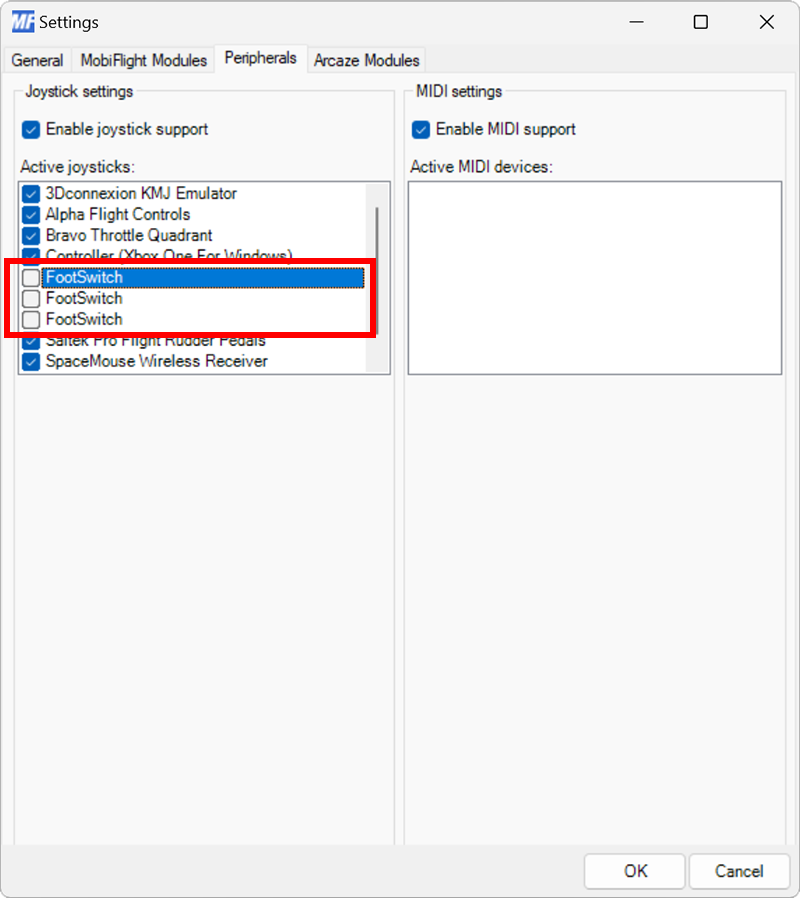
You may want to disable MobiFlight’s game controller support in certain situations. This can be done either for all game controllers or for specific devices. Disabling game controller support is useful when other software controls these devices, and MobiFlight should ignore them.
Open the settings dialog

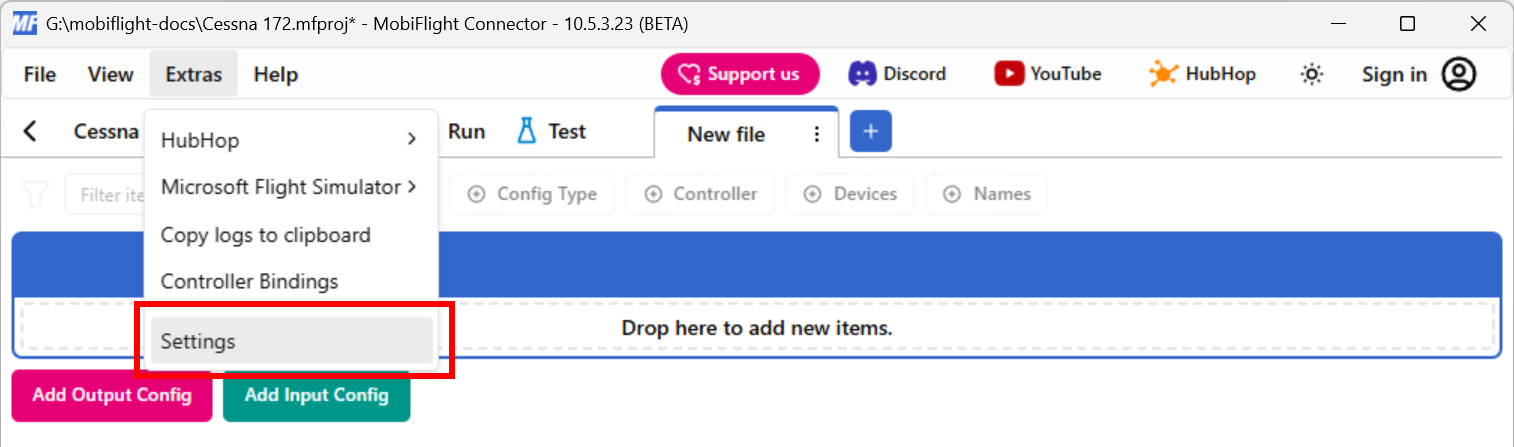
Click on the Extras menu and select Settings to open the settings dialog.

Screenshot of the Extras menu with the Settings menu item selected.

Disable joystick support

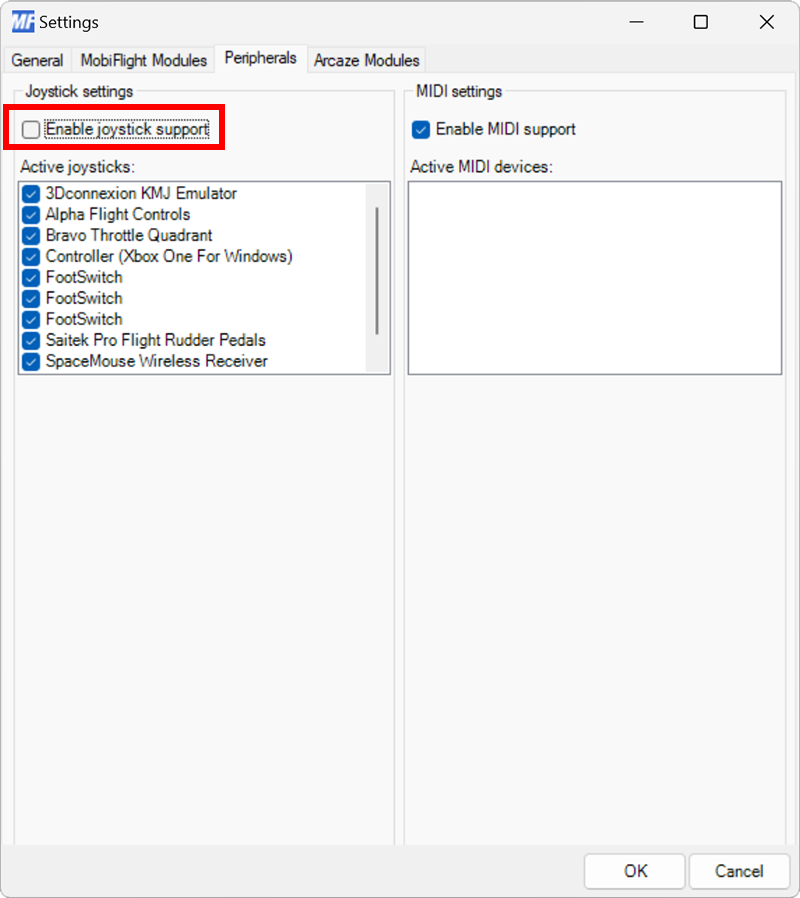
On the Peripherals tab, uncheck the Enable joystick support checkbox.

Screenshot of the Peripherals tab in Settings with Enable joystick support unchecked.